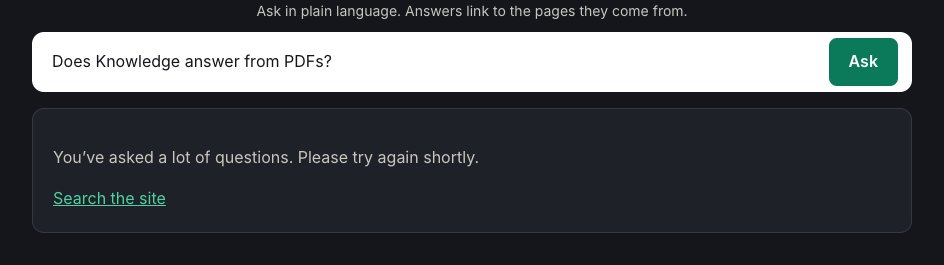
If a visitor sees "You've asked a lot of questions. Please try again shortly.", they've gone over your per-visitor rate limit. They can ask again after a short wait.
Check your limits
Go to ExactFind > Settings > Limits.
| Setting | Default |
|---|---|
| Questions per minute, per IP | 5 |
| Questions per hour, per IP | 30 |
If real visitors hit these often, raise them a little. The limits roll, so there's no fixed reset time. Questions become available again gradually as earlier ones age out.
Many visitors see it at once
If visitors who've barely asked anything see the message, they're probably sharing one limit. This happens when your site is behind Cloudflare or another proxy, and WordPress sees the proxy's address instead of each visitor's.
Set Visitor IP header to fix it. For Cloudflare, enter:
CF-Connecting-IPOnly set this if your site is really behind that proxy. See Set an AI Search Rate Limit to Stop Abuse.
People in one office or on one mobile network can also share an address, so a higher limit may suit a business audience.
You see it while testing
You can reach the limit quickly when you test. Wait a minute, or raise the limit while you test and put it back afterwards.
A different message
The whole-site limits don't show this message. Visitors over those limits see "Answers aren't available right now". See Fix “Answers Aren't Available Right Now” Errors.