Review index entries before they go live, so you can catch a poor summary before visitors are affected. Nothing you change here reaches visitors until you publish the index.
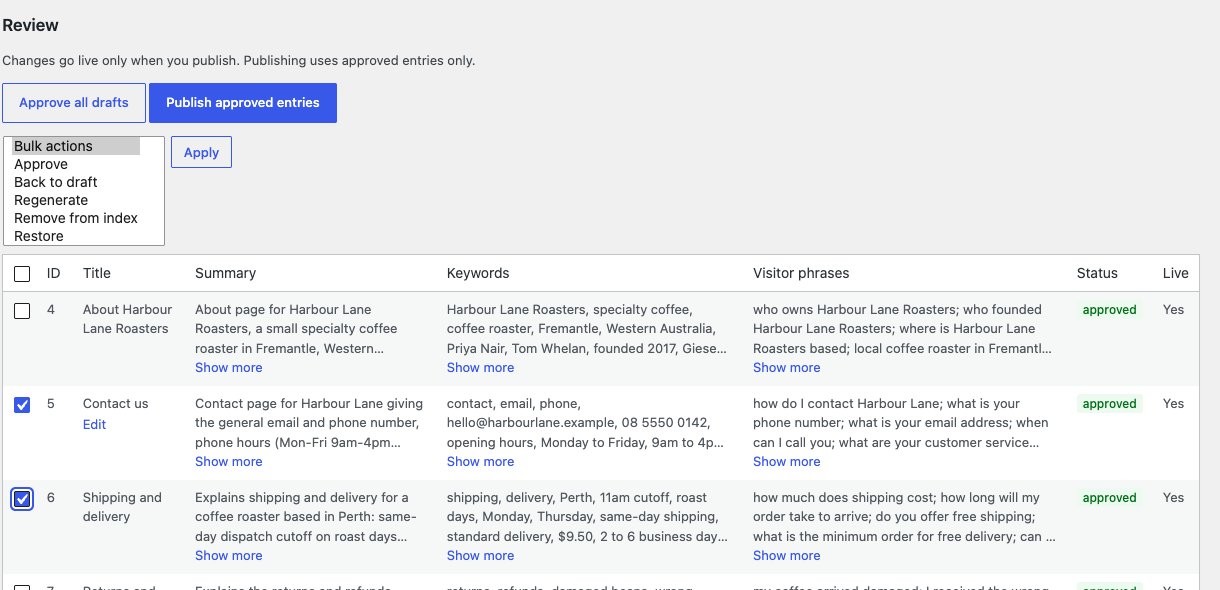
Go to ExactFind > Index and scroll to Review.
What to check
Each entry has a summary, keywords and visitor phrases. Long text is cut to three lines, with Show more to see the rest. The AI uses these to find the right article, so check that:
- The summary says what the article really covers.
- The visitor phrases sound like how people would ask.
- Nothing important is missing.
The entry doesn't decide what the answer says, because answers come from the article itself.
With ExactFind Knowledge, a document entry has a list of its sections. Open it to check each section's title and one-line summary. See Answer Questions From PDF and Word Documents.
Statuses
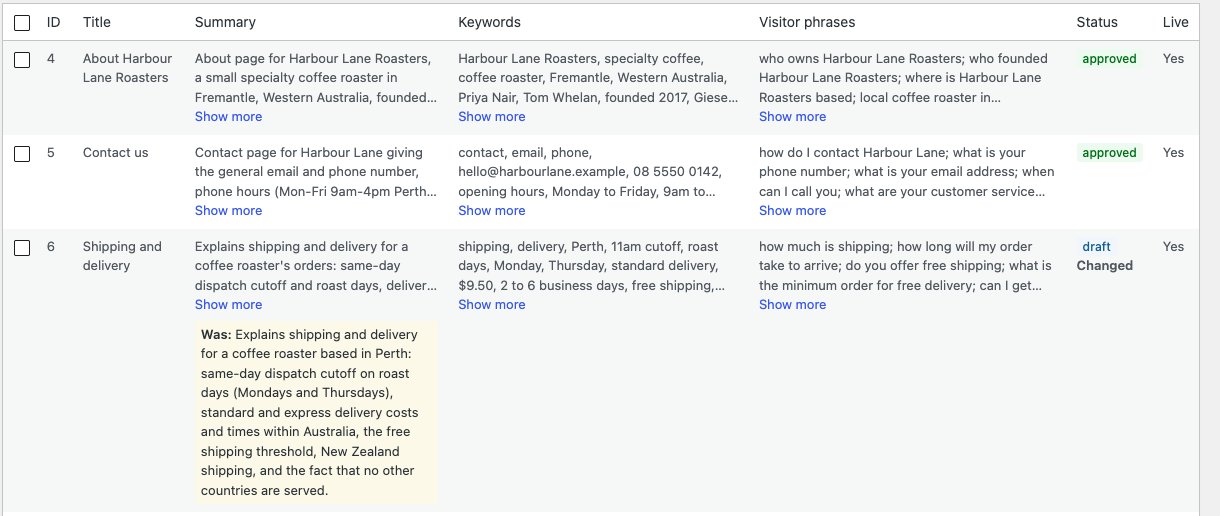
Each status shows as a coloured label in the Status column.
| Status | Meaning |
|---|---|
| draft | New or changed, and waiting for approval |
| approved | Goes into the index when you publish |
| stale | The item was unpublished, deleted or excluded |
| removed | You removed it, and it stays out of rebuilds |
| error | The summary failed. The message shows in the Summary column |
Labels
- New means the entry isn't in the live index yet.
- Changed means the summary is different. The earlier version shows under Was:.
- Edited means someone changed it by hand.
- The Live column shows whether the entry is in the published index now.
Approve entries
To approve everything, click Approve all drafts.
To approve some, tick them, choose Approve from the Bulk actions menu above the table, and click Apply. To undo an approval, tick the entry and apply Back to draft.
Remove from index is in the same menu. ExactFind asks you to confirm before it removes anything. See Edit an Index Entry, Regenerate It or Remove It.