This WordPress knowledge base chatbot setup guide covers the chat features in ExactFind Knowledge. Visitors can ask follow-up questions, and the assistant remembers what was said earlier in that chat.
Before you start, add your custom post types and publish your index. Chat needs an active licence after the first 14 days.
How chat differs from free search
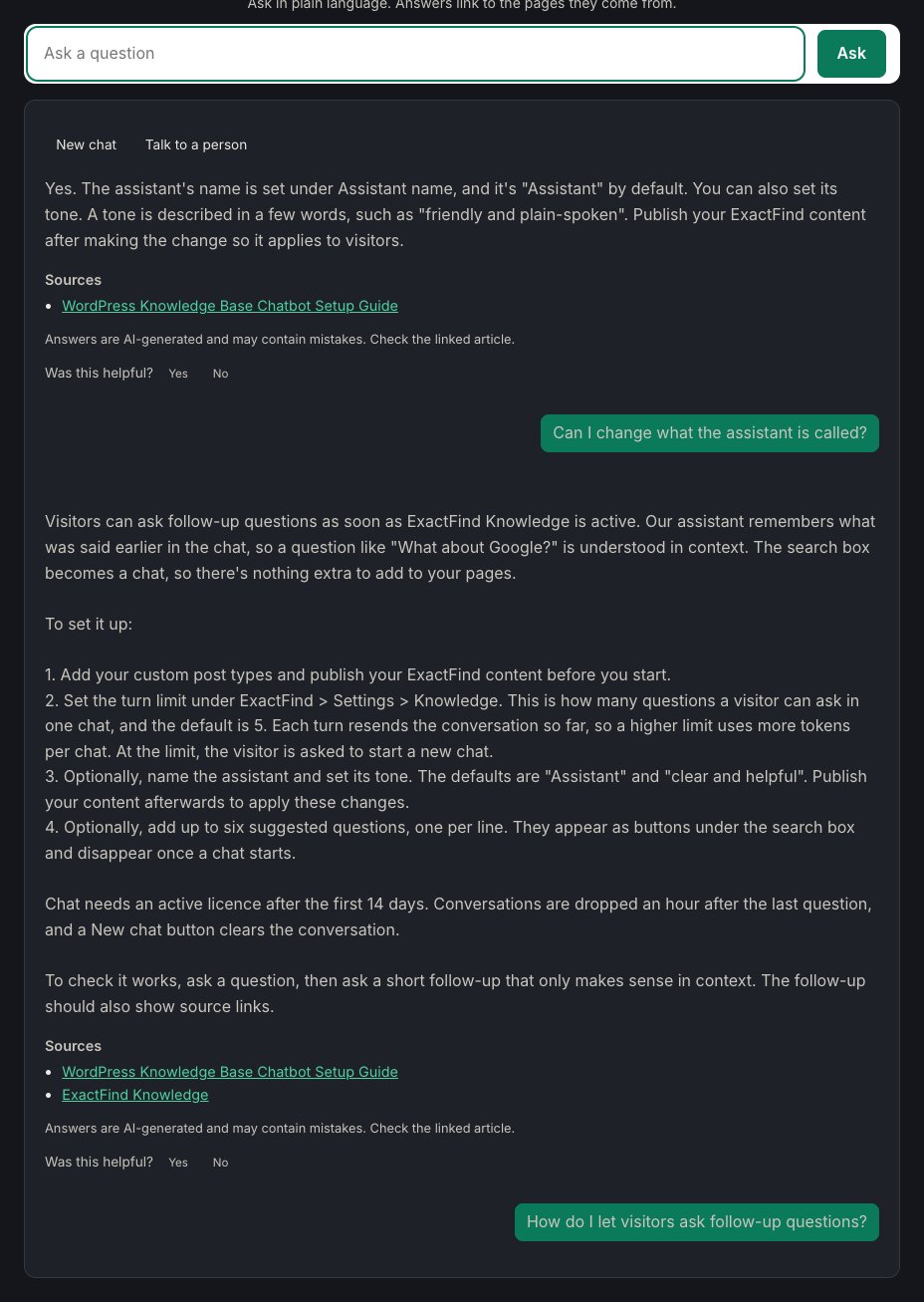
With ExactFind Search, each question stands alone. With Knowledge, a visitor can ask "What about Google?" and the assistant understands from the conversation. There's nothing extra to add to your pages, because the search box becomes a chat when Knowledge is active.
Set the turn limit
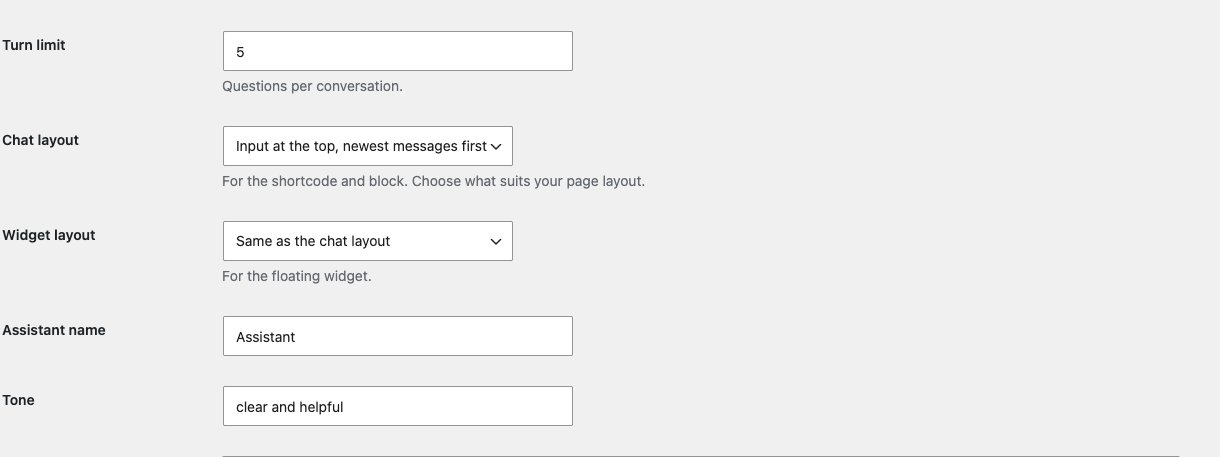
Turn limit under ExactFind > Settings > Knowledge sets how many questions a visitor can ask in one chat. The default is 5.
Each turn resends the conversation so far, so a higher limit means more tokens per chat. At the limit, the visitor is asked to start a new chat.
Name your assistant and set its tone
- Assistant name: Assistant by default.
- Tone: clear and helpful by default. Describe it in a few words, such as "friendly and plain-spoken".
These are saved with the index, so publish the index to apply them.
Add suggested questions
Enter up to six questions under Suggested questions, one per line. They appear as buttons under the search box and disappear once a chat starts.
Choose a layout
See Choose a Chat Layout That Suits Your Page.
New chat
A New chat button clears the conversation. Conversations are also dropped an hour after the last question. If you change the platform or model for answers, open conversations start again.
Let visitors reach a person
When the assistant can't help, visitors can send the whole conversation to your team with a Talk to a person button. See Chatbot Human Handoff: Send Chats to Your Team.
Answer from documents
The assistant can also answer from PDF and Word documents in your Media Library. See Answer Questions From PDF and Word Documents.
Check it works
Ask a question, then ask a short follow-up that only makes sense in context. The follow-up should show source links too.